Sending process specific notifications to different E-Mail IDs
To send process specific notifications to different email IDs:
- Create a copy of the alert and update the alert name, process name and other details as needed.
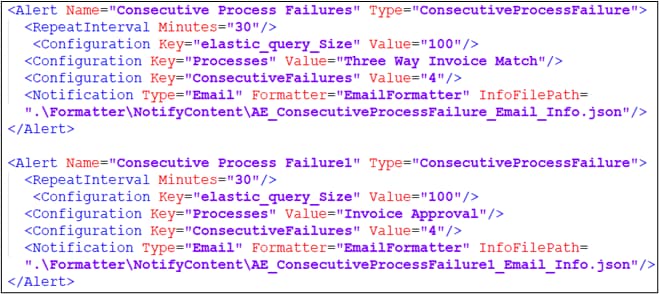
- Create an info file in json format at- <build folder path> \app\Vanguard\Monitor\Formatter\NotifyContent.XML.
- Update the file path in InfoFilePath field in the alert. The content format of any existing info file of an existing alert can be used for creating a new info file for the new alert.
- Provide different e-mail IDs as required in info files of different alerts.