Custom Email Provider for Send Logs
By default, outlook integration is provided to send error logs as attachments. For integration of any other email provider, a custom implementation is required.
To implement a custom email provider:
- Create a class library project in Visual Studio.
- Add a reference of DLL System.ComponentModel.Composition.dll available with .Net framework 4.6. Also, add a reference of DLL Utilities.Interfaces.dll into the project. The DLL is present in the folder where client tool is installed. It can be found at any one of the following locations:
- <installation directory>\client-tools\AutomationStudio\bin
- <installation directory>\client-tools\AutomationRuntime\Robot\RobotAgent
- Create a class and provide [Export(typeof(IEmail))] attribute on that class.
- Implement the interface IEmail available in the above DLL. Provide an implementation for below methods in the class.
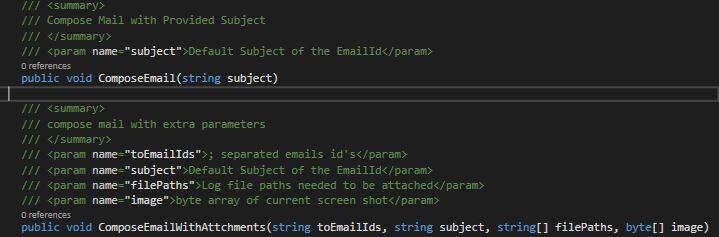
- Build the project solution in x86 Mode and ensure dll name begins with Utilities.Email.
- Remove existing DLL in the AERPA installation folder at MEFDLLS\Utilities.Email.Outlook.dll and copy this new custom DLL. Apply the above instruction across all locations of MEFDLLS.